Font Size and Button Settings for Video Virtual Assistant

Add new settings for font size, button of video Virtual Assitant
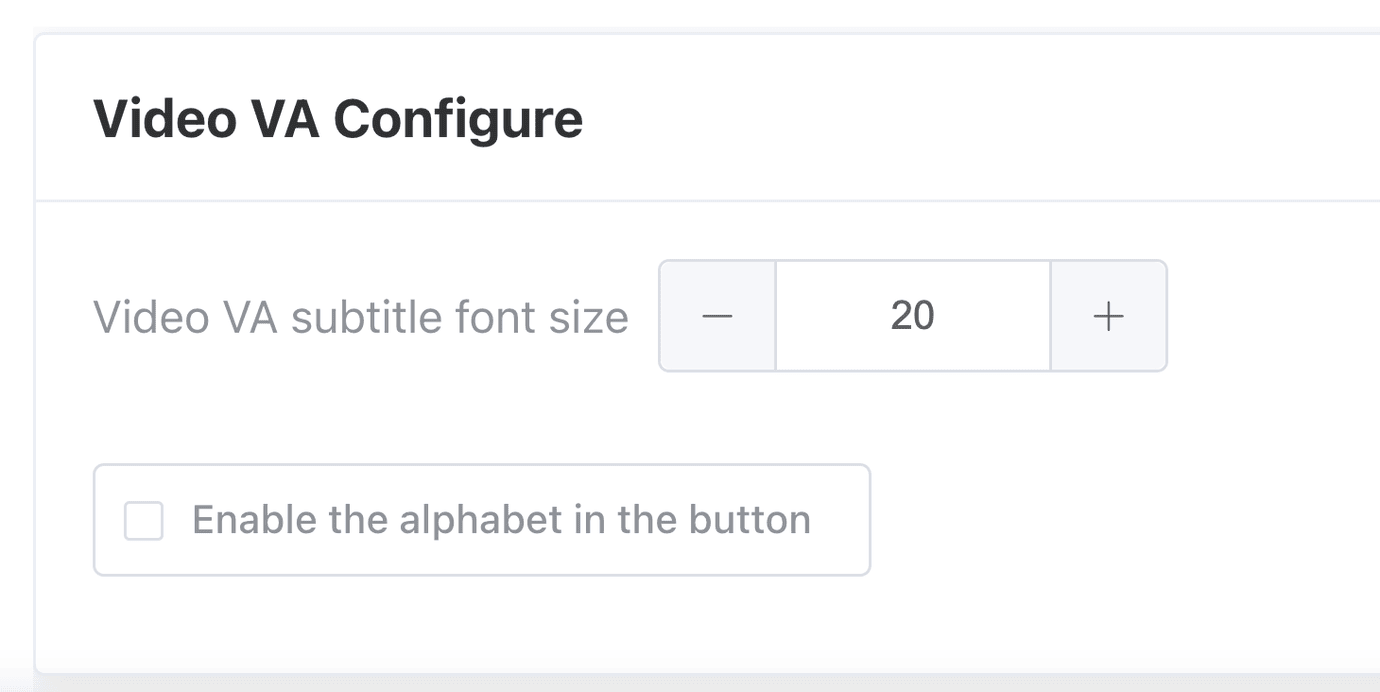
In response to valuable client feedback, we've taken significant steps to refine and enhance the Video Virtual Assistant feature. Our latest release introduces a range of customization options aimed at providing users with a personalized and seamless experience.
One of the key enhancements is the ability for users to customize their Video Virtual Assistant experience within the Video Virtual Setting. They can now adjust the font style and size of subtitles, offering greater flexibility and improving readability. This empowers users to tailor the visual aspects of their interactions, enhancing engagement and overall user experience.
Additionally, we've introduced a new setting that allows users to enable or disable the use of alphabets in select options. This feature provides more tailored interaction experiences, catering to specific preferences and requirements of users.
Users can conveniently configure these settings in the dashboard under Setting/WebChat/Video VA Configure, making it accessible and easy to personalize their Video Virtual Assistant experience.
Furthermore, we've addressed issues related to autoplay functionality, ensuring smoother playback and seamless user engagement. These improvements are designed to optimize user satisfaction and usability within our platform, reflecting our commitment to delivering a superior and customizable Video Virtual Assistant experience.
⎯
For any inquiries regarding product enhancements, please contact us at cspm@keyreply.com.